Help & Support
SEARCH
OpenAI launches ChatGPT Slides to automate presentation creation
SHARE IT
For decades, building a compelling presentation has been a fragmented, time-consuming ordeal. Professionals routinely bounce between spreadsheets, text documents, and design software just to assemble a coherent pitch deck or quarterly report. Looking to eliminate the friction between raw data and visual storytelling, OpenAI has officially rolled out ChatGPT Slides. This native application transforms existing conversations, uploaded files, and rough drafts directly into polished slide decks, eliminating the tedious routine of copying and pasting text from an AI chat window into external office suites.
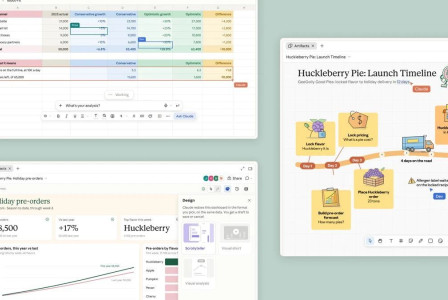
The release marks a pivotal milestone in the expansion of ChatGPT Space, OpenAI’s broader productivity environment that surrounds its core conversational engine with dedicated workspaces. While the company previously introduced Pages to handle long-form text generation, enterprise users and creators have eagerly awaited the arrival of dedicated presentation and spreadsheet tools. With ChatGPT Slides, the language model steps directly into the role of designer and project coordinator, structuring complex information into ready-to-use visual formats.
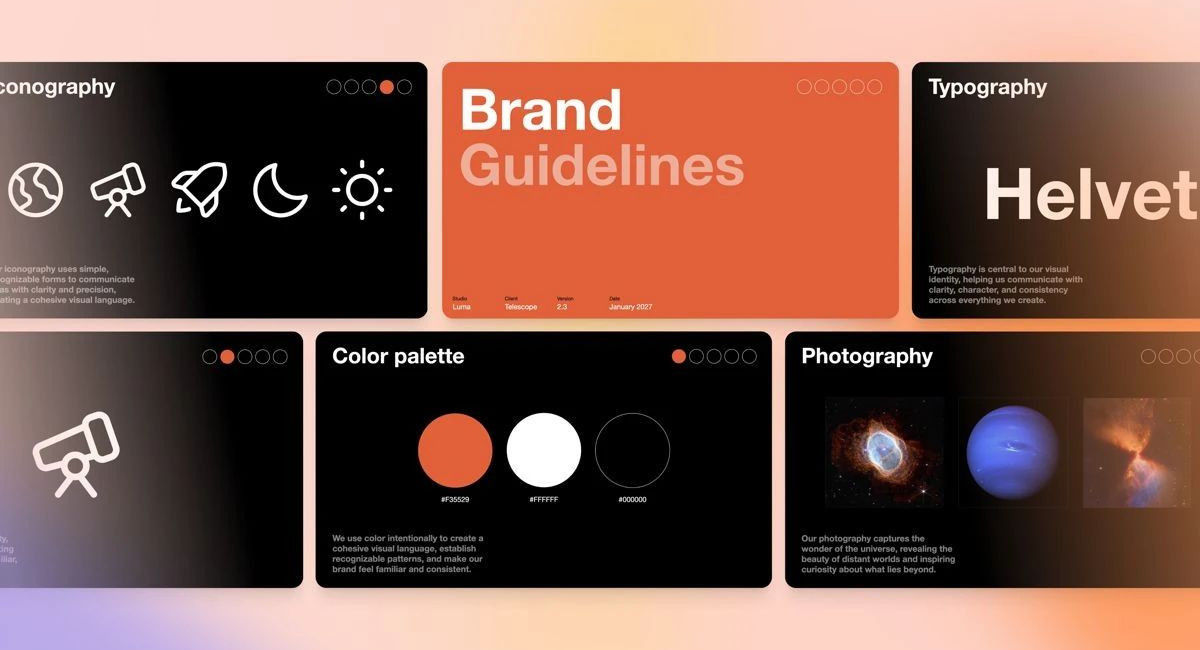
At the heart of the new tool is an interface designed to bypass steep learning curves and cluttered formatting menus.Instead of manually adjusting text boxes or hunting for layouts, users rely entirely on natural language prompts. A financial analyst, for instance, can upload a hundred-page PDF report and simply type a command asking the platform to generate a presentation. The system automatically extracts the core takeaways, divides the narrative logically across individual slides, writes clear headlines, and organizes key metrics into digestible bullet points. To ensure the final product fits the room, OpenAI has included a diverse library of built-in visual templates ranging from conservative corporate layouts to vibrant designs suited for product launches.
Beyond initial generation, ChatGPT Slides introduces a real-time collaborative architecture built to rival established cloud ecosystems like Microsoft 365 and Google Workspace. Once the algorithm produces a first draft, creators can generate an invitation link to bring colleagues into the shared canvas. Team members can view live cursors, make simultaneous edits,and watch changes sync dynamically in the cloud.
What sets this collaborative environment apart, however, is how the artificial intelligence remains an active participant throughout the revision cycle. Rather than manually executing every minor edit, collaborators can leave margin comments requesting tone adjustments, additional statistics, or phrasing tweaks. Users can then instruct the AI to read all accumulated feedback and apply the revisions across the entire deck simultaneously. For busy marketing departments and strategy teams, this automated review loop promises to shave hours off internal approval cycles.
Recognizing that corporate enterprises rarely abandon legacy software overnight, OpenAI prioritized seamless interoperability. Finished presentations can be exported locally as static PDF files for client distribution or as editable .pptx documents. Furthermore, direct integrations allow users to open their generated decks straight inside Microsoft PowerPoint and Google Slides, avoiding the formatting glitches and misaligned fonts that often plague third-party file converters.
Yet this high-powered productivity comes with a clear commercial boundary. OpenAI has restricted ChatGPT Slides exclusively to subscribers on its higher-tier Pro, Business, and Enterprise plans, leaving users on the standard consumer Plus tier without access. This deliberate gating underscores the company’s aggressive push into the business-to-business market. Synthesizing massive documents into structured visual layouts demands heavy computational resources, making premium subscriptions necessary to offset infrastructure costs. At the same time, the move creates a strong financial incentive for freelancers and small teams to upgrade their accounts if they want access to OpenAI’s flagship workplace tools.
MORE NEWS FOR YOU